Connect review growth to the tools your business already uses
Review Credible can work with many of the systems HVAC and plumbing companies already rely on, helping connect completed jobs, customer follow-up, review requests, referrals, and website trust proof.
Your reputation system should fit your workflow, not fight it
Most HVAC and plumbing businesses already have tools for jobs, customers, scheduling, invoicing, messages, and websites. Review Credible is designed to help reputation growth fit into that existing process whenever possible.
Connect Completed Jobs
Use your customer workflow to identify the right moments for review and referral follow-up.
Trigger Follow-Up
Send review requests through approved SMS, email, or automation workflows.
Display Trust
Show review proof across your website, landing pages, and conversion sections.
Track Growth
Monitor review activity, reputation growth, and follow-up opportunities over time.
Tools Review Credible can work with
Available setup options depend on your current software, access, permissions, and integration requirements.
Google Business Profile
Help customers find the right review path and strengthen your public reputation presence.
ServiceTitan
May support review follow-up workflows tied to completed service activity, depending on setup and available access.
Housecall Pro
Can support post-job review request workflows depending on your customer and job process.
Jobber
Can help connect completed work and customer follow-up into a more consistent review request process.
FieldEdge
May support reputation workflows for service companies using FieldEdge, depending on available setup options.
Workiz
Can support review and follow-up workflows for teams using Workiz, depending on your current configuration.
Sera
May support review request workflows for companies using Sera, depending on available integration options.
QuickBooks
Can support customer, invoice, or workflow-based reputation opportunities depending on setup.
Zapier
Can help connect supported tools and automate review-related workflows when direct options are limited.
SMS
Send short, direct review requests and follow-up messages through approved SMS workflows.
Use branded email messages to support review requests, referrals, and customer communication.
Website Widgets
Display review proof across homepage sections, service pages, landing pages, and trust blocks.
Not Sure If Your System Can Connect?
No problem. We’ll look at how your jobs, customers, invoices, and follow-ups currently work, then show you the cleanest way to turn that process into more reviews, referrals, and trust.
How integrations support review growth
The point is not to collect more tools. The point is to create a cleaner path from completed job to customer action.
A job is completed
Your team finishes a service call, repair, install, maintenance visit, or customer job.
The workflow identifies the customer
Review Credible uses the available customer or job information to support follow-up.
A review request is sent
The customer receives a professional SMS or email request based on the approved setup.
The customer takes action
The customer can leave a review, provide feedback, or follow a referral path.
Trust gets displayed
Reviews and reputation proof can support your website, service pages, landing pages, and future prospects.
Google Business Profile support
Google reviews are often one of the first trust signals homeowners see. Review Credible helps make the review request path clearer and more consistent.
Your Plumbing & HVAC Co
- Review link setup support
- Clear customer review request path
- SMS and email request options
- Reputation activity tracking
- Review response support
- Website trust proof connected to review growth
Review Credible does not guarantee Google reviews and does not support fake reviews, review buying, or review manipulation.
Field service software and job workflow support
For many HVAC and plumbing companies, the best review opportunity starts when a job is marked complete. Review Credible can help build follow-up around that moment when the workflow allows it.
ServiceTitan
Housecall Pro
Jobber
FieldEdge
Workiz
Sera
Automation support when direct connections are not enough
Not every platform connects the same way. In some cases, Review Credible can use automation tools, CRM workflows, forms, webhooks, imports, or manual fallback processes to keep review follow-up moving.
Zapier Workflows
Use supported Zapier connections to move customer or job information between tools when available.
GoHighLevel Automations
Support CRM, pipeline, SMS, email, forms, and follow-up workflows through GoHighLevel when appropriate.
Form-Based Triggers
Use simple forms to trigger review requests when a direct software connection is not practical.
Manual Upload Options
For some businesses, customer lists or completed job data can support review follow-up without a deep integration.
Website review widgets that make trust visible
Your reviews are more valuable when they appear where homeowners are already deciding whether to call, submit a form, or request service.
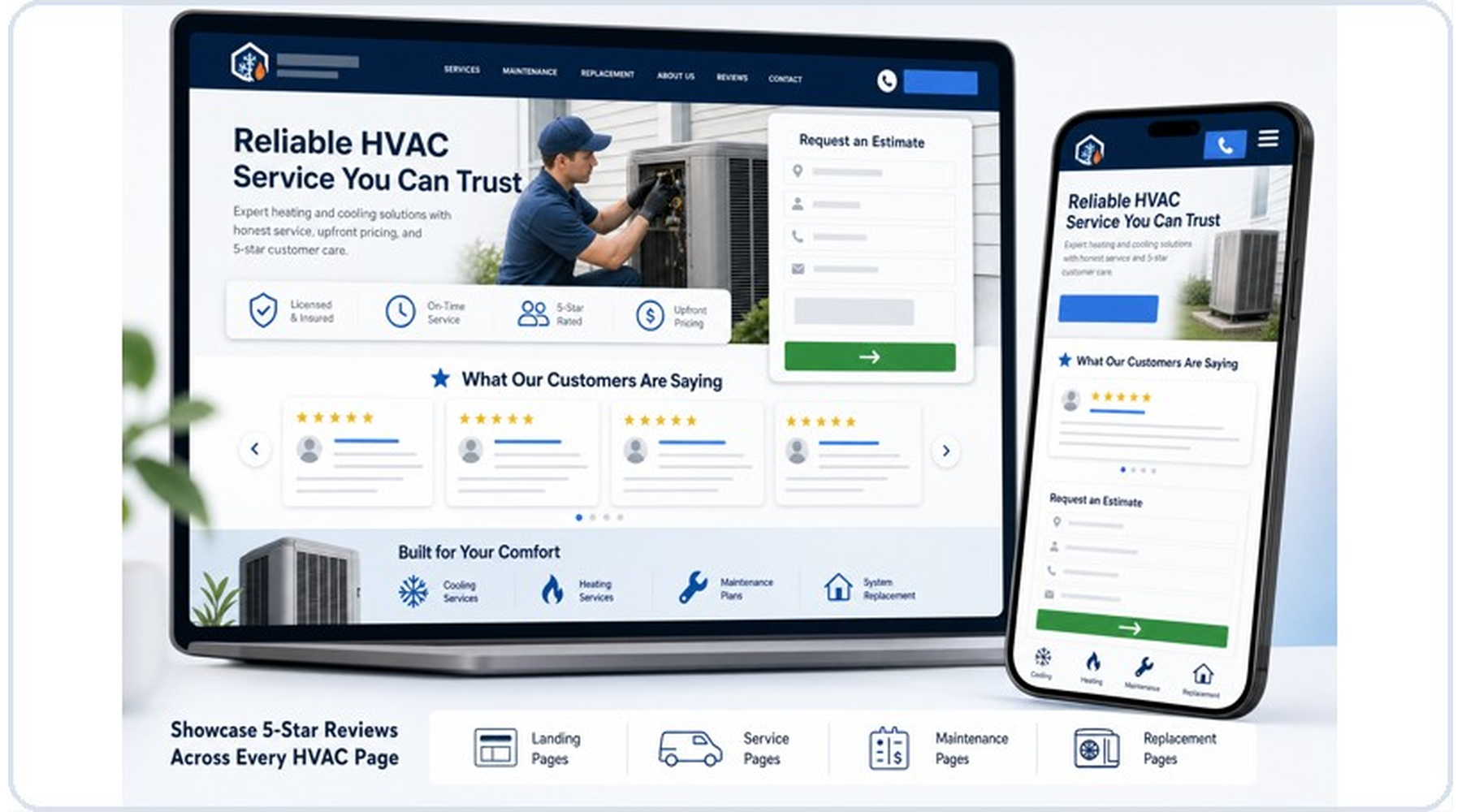
Homepage Review Widgets
Service Page Review Displays
Landing Page Trust Sections
Conversion-Focused Review Blocks
Review Credible can help display reputation proof across websites built in many platforms, depending on the site setup and widget requirements.
SMS and email follow-up that supports the customer journey
Review requests work better when they are timely, clear, and easy for the customer to act on.
SMS Review Requests
Short, direct messages can help customers take action quickly after a completed job.
- Fast customer follow-up
- Simple review link path
- Clear customer action
- Compliance-conscious messaging
Email Review Requests
Branded email follow-up gives customers another way to respond and supports a more complete communication workflow.
- Professional branded messages
- Helpful for customers who prefer email
- Supports review and referral follow-up
- Useful for longer customer communication
SMS and email setup must follow applicable consent, platform, carrier, and communication requirements.
What we check during setup
The best setup depends on what your business already uses and how your team handles completed jobs.
- What software you currently use
- How jobs are marked complete
- Where customer phone numbers and emails are stored
- Whether SMS consent is already captured
- How review requests are currently sent
- What website pages need review proof
- Whether referral tools should be added
- What reporting or tracking matters most
What Review Credible does not overpromise
A clean integration page should be honest. Some platforms allow simple workflows. Others require custom setup, third-party tools, or manual processes.
No Blanket Native Integration Claims
Setup depends on the platform, account permissions, available APIs, automation options, and workflow needs.
No Fake Automation Magic
If a workflow requires manual input or a workaround, that should be made clear during setup.
No Review Manipulation
Integrations should support legitimate review requests from real customers, not fake reviews or review gating.
No One-Size-Fits-All Setup
A solo plumbing company and a multi-location HVAC company may need very different workflows.
Integration questions
See if Review Credible can fit your current systems
Tell us what tools your HVAC or plumbing company already uses, and we will help determine whether Review Credible can support your review, referral, reputation, and website trust workflow.